Local SEO11 min read

Google Business Profile Optimization: The Complete Guide

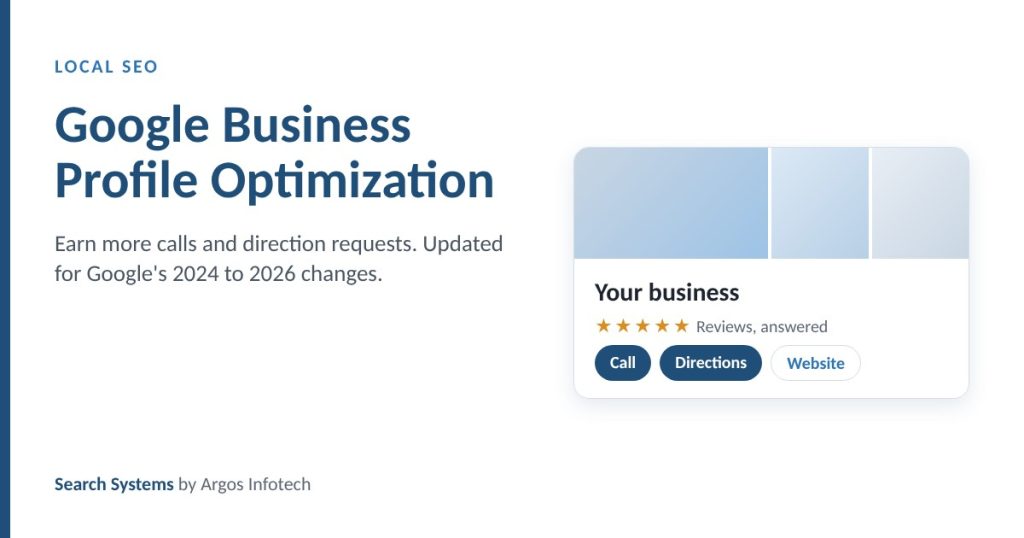
How to win more calls and direction requests from Google Maps, updated for the changes Google made in 2024, 2025 and 2026.

google business profile optimization

Google Business Profile optimization is the work of making your free Google listing complete, accurate and active, so it appears for nearby searches in Google Search and Maps and turns views into calls and direction requests. Google ranks local results on three factors: relevance, distance and prominence. A well-run profile improves relevance and prominence. Nothing changes distance.

This guide covers setup, every field that matters, photos, posts, reviews, how to measure results, and the recent Google changes that make many older guides wrong.
How Google ranks local results
RelevanceHow well the profile matches the search You influence: categories, services, description
ProminenceHow well known and well reviewed the business is You influence: reviews, citations, links, mentions
DistanceHow far the searcher is from the business You cannot change it
Two out of three. Optimization works on relevance and prominence. Be wary of anyone who claims to fix distance.

Why does a Google Business Profile matter?

For a local business, the Business Profile is often the first and only thing a buyer sees before calling. It appears in Google Maps, in the local pack of three results in Google Search, and in the panel shown when someone searches your business name. Google’s AI features also draw on profile information and reviews when answering questions about local businesses.

Many local customers call or ask for directions straight from the listing without visiting the website. That is why we treat calls and direction requests from the profile as the primary outcome for local businesses, ahead of website traffic.

What has Google changed recently?

Three changes since 2024 make parts of most older Business Profile guides out of date.

What changed, 2024 to 2026
  1. July 31, 2024Removed

    Business Profile chat and the call history report end. Source: Search Engine Roundtable.

  2. October 2024Rule

    The FTC rule banning fake reviews and review suppression takes effect in the US.

  3. November 3, 2025Removed

    Google deprecates the Q&A API.

  4. December 3, 2025Replaced

    Google confirms public Q&A is being replaced by an AI "Ask" button that answers from business information and reviews. Source: PPC Land.

  5. May 7, 2026Ended

    FAQ rich results stop appearing in Google Search for all sites.

Older guides are out of date. Advice about chat response times and seeding your own Q&A no longer applies. Answers now need to live in your description, services, website and reviews.

The practical shift: the answers customers need now have to live in your profile description, your services list, your website and your reviews, because that is what Google’s AI draws on.

How do you claim and verify a profile?

Search for your business on Google or go to business.google.com. If a profile exists, choose “Own this business?” and follow the verification steps. If none exists, add your business. Google verifies by phone, text, email, video or postcard, depending on the business and category. If someone else already controls the profile, request access through the same flow.

Profiles have a primary owner, owners and managers. Owners control who else has access. Managers can edit most information and reply to reviews. Keep the primary owner on a company account rather than an employee’s personal email, so access survives staff changes.

Which profile fields matter most?

Anatomy of a complete profile

  1. Real business name. No keywords or cities added.
  2. Most specific primary category.
  3. Exact address or service area, matching the website.
  4. Accurate hours, including holidays.
  5. 750-character description in plain language.
  6. Every service listed with a description.
  7. Real photos, added regularly.
  8. Reviews, each one answered.
Illustration only. A fictional business, drawn to show which fields matter. Your listing’s layout will differ by device.

Business name

Use your real business name exactly as it appears on your signage and documents. Adding keywords or locations breaks Google’s guidelines and is a common cause of suspension.

Correct: Example Law Group. Incorrect: Example Law Group, Best Personal Injury Lawyers Houston.

Address or service area

Use an exact, verifiable address that matches your website and directory listings character for character. Businesses that travel to customers, such as plumbers and cleaners, can hide the address and list service areas instead.

Phone number

Use a local number that reaches the business directly rather than a central call center line. It must match the number on your website.

Website link

Link to the matching location page for multi-location businesses, or the home page for single-location businesses. Add UTM parameters so your analytics can separate profile visits from other organic traffic.

Hours

Keep regular hours accurate and add special hours for every holiday. Wrong hours send customers to a closed door, and AI assistants that draw on profile data can repeat the error.

Categories

Your primary category tells Google what kind of business you are, so choose the most specific accurate option: “Italian restaurant” rather than “Restaurant”, “Personal injury attorney” rather than “Lawyer”. Add secondary categories only for services you genuinely offer.

Description

You have 750 characters. Lead with what you do and who you serve, include your service area, state facts that set you apart, and write in plain language. Do not include links or promotional claims you cannot support.

Example: “Example Law Group has represented injured people in Houston and Harris County since 1998. Our attorneys handle car accidents, workplace injuries and medical malpractice. We work on contingency, so clients pay no fee unless we recover compensation. Consultations are free and available in English and Spanish.”

Services and products

List every service or product with a clear name and a short description, and a price or price range where you can publish one. Because Google’s AI now answers customer questions from business-provided information, this list does more work than it used to.

What photos should a profile have?

Use real photos that show customers what to expect: the exterior and entrance so they can find you, the interior, the team, and your work or products. Avoid stock photography. Google recommends JPG or PNG files between 10 KB and 5 MB, at 720 by 720 pixels or larger. Upload new photos regularly so the profile reflects the business as it is today.

Are Google Posts worth the effort?

Yes, as content customers see on your profile. Posts can be updates, offers or events, each with up to 1,500 characters, a photo and a call-to-action button. Use them to answer common questions, spotlight a service or share a local update. Consistency matters more than volume: a realistic weekly post beats a burst followed by silence.

Google has not said that posting improves ranking, so treat posts as a way to give buyers current, specific information, not as a ranking trick.

How should you handle reviews?

Google states that review count and review score factor into local ranking (Google Business Profile Help). Reviews also shape how AI assistants describe your reputation.

Getting more reviews

  • Ask every customer, not only the happy ones. Selectively soliciting positive reviews breaks Google’s policy.
  • Send a direct review link by email or text soon after the job is done.
  • Add a QR code at checkout or on invoices.
  • Train staff to ask at the natural moment, such as when a customer thanks them.

Responding to reviews

  • Respond to every review. Thank positive reviewers by name and mention something specific.
  • Reply to negative reviews within a day, acknowledge the issue without arguing, and offer to resolve it offline.
  • Write for future readers. Your reply shows how you treat customers when something goes wrong.

What never to do

Never offer discounts or gifts in exchange for reviews, never post or buy fake reviews, and never have staff review the business. These break Google’s policies, and in the US the FTC’s rule banning fake reviews and review suppression has been in effect since October 2024.

How do you answer customer questions now that Q&A is going away?

Put the answers where Google’s AI and your customers will find them. Cover your most common questions in the profile description and services list. Publish the same answers on your website, ideally on a dedicated FAQ page and on each location page, so the facts match everywhere. Reviews that mention specific services also help, because the Ask feature draws on review content.

Which attributes should you set?

Attributes are the extra facts customers filter by: accessibility features, amenities such as parking or Wi-Fi, whether appointments are required, payment options, and service options such as delivery or online appointments. Set every attribute that is true for your business. Customer-provided attributes, such as “cozy”, come from reviews and cannot be set directly.

Is a Google Business Profile enough on its own?

No. Two other listings matter. Apple Business Connect controls how you appear in Apple Maps, Siri and Apple Intelligence, which reach every iPhone user. Bing Places feeds Bing search and the Microsoft Copilot answers built on it. Keep the name, address, phone and hours identical on all three and on major directories such as Yelp and BBB, because inconsistent facts make search engines treat one business as two.

One set of facts, everywhere
Google Business Profile
Apple Business Connect
Bing Places
Name, address, phone, hoursIdentical, character for character
Your website
Yelp and BBB
Industry directories
Inconsistent facts split one business into two. Search engines and AI assistants cross-check these listings. A mismatch weakens all of them.

Your website should match too: the same NAP on every page footer and location page, an embedded map on the contact page, and LocalBusiness schema that matches what is visible on the page.

How do you measure Business Profile performance?

Use the Performance report in your Business Profile. It shows how many people found you, what they searched, and what they did.

What to track in the Performance report
Primary outcome
Calls
Direction requests
Context
Website clicks
Bookings, where enabled
Searches: terms people used
Views on Search and Maps
Calls and directions first. Many local customers act straight from the listing, so these two are the closest measure of demand. Check them month over month, not day to day.

Track calls and direction requests month over month as your main outcome. Then check the other side: ask the major AI assistants where your business is located and what it offers, and fix any wrong answer at the source. Profile changes typically show first measurable movement in calls and direction requests within 30 to 60 days.

See our SEO timeline guide for what moves after that, and our AI search guide for how assistants choose which businesses to name.

What are the most common problems?

Suspended profile. Usually caused by keywords in the business name, an ineligible address or policy violations. Fix the cause, then submit a reinstatement request with supporting documents such as a business license and a utility bill.

Duplicate listings. Often created by old addresses or past owners. Report the duplicate through Google’s support so it can be merged or removed.

Incorrect information. The public can suggest edits, and Google sometimes accepts them. Check the profile monthly and correct changes you did not make.

Not appearing in the local pack. Check completeness, category choice, review count and NAP consistency first. Be honest about distance: a searcher far from your location will usually see closer competitors, and no optimization changes that.

Google Business Profile optimization checklist

Setup and core facts

  • Primary owner on a company account
  • Real business name with no added keywords
  • Exact address, or service areas for businesses that travel
  • Local phone number matching the website
  • Website link to the right page, with UTM parameters
  • Regular hours and special hours for holidays
  • Most specific accurate primary category, plus relevant secondary categories

Content

  • Full 750-character description in plain language
  • Every service or product listed with a description
  • All true attributes selected
  • Common customer questions answered in the description, services and website

Photos and posts

  • Logo and cover photo
  • Real exterior, interior, team and work photos
  • New photos added regularly
  • A consistent posting rhythm

Reviews

  • Review requests sent to every customer with a direct link
  • Every review answered
  • No incentives, no fake reviews, no gating

Consistency beyond Google

  • Apple Business Connect and Bing Places claimed and matching
  • Name, address and phone identical across major directories
  • LocalBusiness schema on the website matching visible content
  • AI assistants checked for wrong location or service facts

Request a free AI Visibility Audit

to see how AI assistants describe each of your locations, and which facts they get wrong. Delivered within 5 business days. Deciding between local and national work? Read local SEO vs national SEO.

Request the audit

Frequently asked questions

How long does it take for Google Business Profile changes to work?

Edits usually appear on the profile within days, after Google reviews them. Measurable movement in calls and direction requests typically starts within 30 to 60 days, and steadier results build from about month four as reviews, photos and posts accumulate.

Can I add keywords to my Google Business Profile name?

No. Google’s guidelines require the real business name as used on signage and documents. Adding keywords or city names is a common cause of profile suspension and can remove the listing from Maps entirely.

Is Google Business Profile Q&A still available?

Google confirmed in December 2025 that the public Questions and Answers feature is being replaced by an AI Ask button that answers from business-provided information and reviews. Put common answers in your description, services list and website instead of relying on Q&A.

Do Google Posts improve local rankings?

Google has not said that posts are a ranking factor. Treat them as content customers see on your profile: current offers, service details and answers to common questions. They help buyers decide, which is what drives calls and direction requests.

About the author

Manish Patel

Founder and CEO, Argos Infotech

Manish Patel is the founder and CEO of Argos Infotech, a custom software and search company founded in 2005. He has led Argos's SEO work since 2012 and oversees Search Systems, its search measurement and AI visibility service.